
Blog5/6/2026
Best Tech Gifts for Remote Workers: Ergonomic Essentials
5 mins Read
The Briefing
Quick takeaways for the curious
Prioritize ergonomic sovereignty over gimmicks to protect health and boost daily productivity for remote workers.
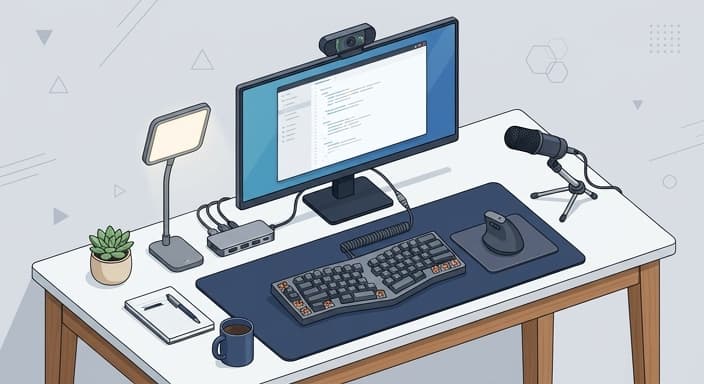
A professional input setup—mechanical keyboard with hot-swappable switches, an ergonomic mouse, and a non-slip desk mat—reduces tendon strain and improves precision.
Lighting and audio quality determine how confidently you are seen and heard in virtual meetings, so investing in a high-quality LED key light and a dedicated cardioid microphone is essential.
Smart connectivity and cable management streamline workflows, minimize device friction, and keep the desk clear for deep work.
A well-organized workspace that clearly separates office hours from personal time helps protect mental clarity and sustain focus throughout the workday.
The transition to remote work has fundamentally shifted our understanding of the professional environment, moving the office from a glass-walled cubicle to the quiet corners of our own homes. For the millions of people balancing deadlines with domesticity, the quality of their workspace is no longer a luxury—it is the primary determinant of their daily productivity and mental clarity.
The Philosophy of "Ergonomic Sovereignty"
When shopping for the remote worker, it is all too easy to fall into the "gimmick trap"—the tendency to buy novelty desk organizers, cheap "light-up" peripherals, or ergonomic accessories that look impressive on a website but lack the structural integrity to support eight hours of daily use. We see this cycle every year: an influx of plastic monitor stands that bow under the weight of a professional display, "smart" lamps that flicker during Zoom calls, and novelty desk gadgets that serve only to clutter the workspace. At HootFinds, we reject the cycle of "disposable workspace clutter." Instead, we embrace the philosophy of "Ergonomic Sovereignty."
Ergonomic Sovereignty is the deliberate act of selecting tech that prioritizes the user’s physical health and cognitive flow. It is the recognition that a remote worker’s greatest assets are the tools that minimize repetitive strain, sharpen focus, and create a clear boundary between "office hours" and personal time. By prioritizing gear that features medical-grade adjustability, high-fidelity acoustics, and seamless interface integration, we empower the home-based professional to reclaim their workday from the distractions of the home environment.
The Foundation: Precision Input and Posture
The most critical interface between a human and their work is the input hardware. Most professionals spend the majority of their day with their hands on a keyboard and mouse, yet they often settle for the flimsy peripherals that came bundled with their computer. A professional-grade mechanical keyboard is not just about the tactile satisfaction of the keys; it is about the reduction of tendon strain and the precision of every keystroke.
When choosing a keyboard, look for hotswappable switches that allow the user to customize the "feel" of their typing experience—linear switches for a quiet, smooth glide or tactile switches for that classic, responsive click. Complement this with a high-end vertical or ergonomic mouse designed to keep the wrist in a neutral "handshake" position. This isn't just about comfort; it is about preventing the long-term nerve damage that can arise from hours of awkward, pronated positioning. Pair these with a desk mat that provides a consistent, non-slip surface, and you’ve built a foundation that turns a generic desk into a command center.
Lighting and Audio: The Professional Edge
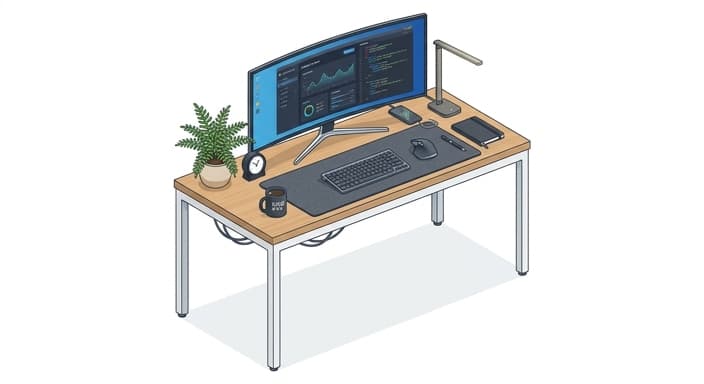
In an era of hybrid communication, your presence is defined by what the camera sees and what the microphone captures. A remote worker who relies on a laptop’s built-in webcam and microphone is effectively communicating through a veil of grain and digital distortion. To project authority and clarity, one must invest in dedicated lighting and audio hardware that operates independently of the computer’s baseline capabilities.
A high-quality LED key light with adjustable color temperature is essential. It prevents the "glowing face in a dark room" aesthetic and ensures that the user appears professional and well-lit, regardless of the time of day or the natural light available in the home. Similarly, an external cardioid microphone—one that isolates the voice while rejecting background noise like clicking keys or nearby household hums—is a game-changer. When the audio is crisp and the lighting is balanced, the psychological impact on the remote worker is profound: they feel prepared, confident, and ready to lead the meeting rather than just participate in it.
Streamlining the Workflow with Smart Connectivity
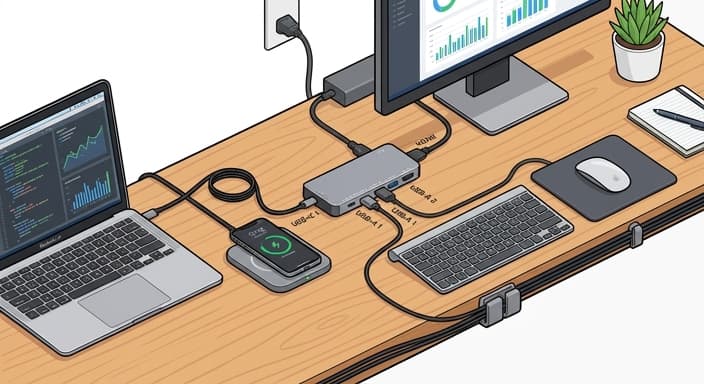
The modern desk is often a mess of tangled cables, underpowered hubs, and fragmented connections. The "Intelligent Workspace" is defined by the reduction of friction. A high-bandwidth Thunderbolt docking station is the ultimate gift for the worker who uses a laptop as their primary machine. By consolidating power delivery, video output for multiple 4K monitors, and high-speed data transfer into a single cable, the user can transition from a "closed laptop" status to a fully functional desktop environment in seconds.
Beyond connectivity, consider the power infrastructure of the desk. A modular charging station that manages USB-C, wireless Qi charging for a phone, and dedicated ports for secondary peripherals eliminates the "cable spaghetti" that creates visual anxiety. When your tools are connected seamlessly, your brain can spend its energy on the actual task at hand rather than troubleshooting connectivity issues or hunting for a spare charging brick.
Focus and Environment: The Sound of Silence
Perhaps the greatest challenge of working from home is the loss of cognitive focus caused by ambient noise—the hum of an HVAC system, the neighbor's landscaping, or the general bustle of family life. Noise-canceling technology has evolved from a luxury travel item to a critical professional necessity. When selecting headphones, prioritize those with "hybrid" active noise cancellation (ANC), which uses a combination of internal and external microphones to neutralize a wider frequency range of sound.
Beyond headphones, consider the impact of smart environmental controls. A high-end smart air purifier that monitors air quality in real-time can significantly improve alertness and comfort in a small office space. Similarly, a dedicated "on-air" smart light that integrates with calendar software can automatically signal to household members when the user is in a deep-work session or a live meeting. These tools create a psychological "do not disturb" zone that protects the worker’s time and energy, allowing them to achieve a state of "flow" even in the middle of a busy household.
Final Thoughts on Professional Stewardship
Selecting a gift for a remote worker isn't about buying the latest flashy gadget that will be obsolete in six months. It is about identifying the specific friction points in their daily routine and providing a solution that adds durability, comfort, and professional clarity to their environment. By focusing on ergonomic sovereignty, superior communication tools, and streamlined connectivity, you are providing them with more than just hardware; you are giving them the gift of a more sustainable and successful career. Whether it is a mechanical keyboard that feels like an extension of their thoughts or a lighting setup that gives them the confidence to command a virtual room, the best tech gifts are those that disappear into the background, leaving the user free to focus on their best work.
Common Questions
🤔
Frequently Asked Questions
What are the must-have tech gifts for remote workers?▼
Must-have gifts include a professional mechanical keyboard with hot-swappable switches to customize feel, an ergonomic mouse that keeps the wrist in a neutral position, and a high-quality desk mat to stabilize the hand and reduce fatigue. A reliable external webcam and cardioid microphone improve video and audio clarity beyond what a built-in laptop offers. A compact LED key light with adjustable color temperature ensures you look professional in any lighting condition, while a sturdy dock or USB-C hub keeps cables organized.
Why should remote workers invest in ergonomic input devices?▼
Ergonomic input devices are worth the investment because they reduce tendon strain, prevent long-term nerve issues, and maintain steady productivity through long workdays. They also improve accuracy and comfort, which translates into faster task completion and fewer breaks. Over time, the cost of ergonomic gear is far lower than medical expenses or lost productivity. That makes it a prudent choice for any remote worker.
How can lighting and audio upgrades impact virtual presence?▼
Lighting and audio upgrades significantly impact how you are perceived in video calls. A well-lit face with balanced color temperature conveys professionalism. A cardioid mic isolates your voice and minimizes background noise, which reduces listener fatigue. Together, these upgrades boost confidence and ensure your ideas are heard clearly.
What role does smart connectivity play in a tidy, productive desk setup?▼
Smart connectivity helps keep your desk tidy and your workflow smooth. A single docking station or hub reduces cable clutter and makes device switching effortless. Consistent interfaces and automatic power management minimize setup friction during meetings. This clarity supports focus and reduces the cognitive load of juggling multiple peripherals.
Explore Related Topics
Browse more gift ideas in the categories this article belongs to.