Blog5/28/2026
Best Ergonomic Home Office Gifts 2026: Comfort & Health
5 mins Read
The Briefing
Quick takeaways for the curious
The best ergonomic gifts are heavy, simple, and durable rather than flashy plastic gadgets.
Prioritize items that solve specific physical issues, like neck strain, rather than generic 'lifestyle' products.
Equipment that addresses posture and fatigue—such as monitor risers, mechanical keyboards, and vertical mice—offers the best long-term payoff in a small space.
Be mindful of space and usability: under-desk footrests are great but require floor space and may not suit tiny setups.
Proper lighting with a high CRI reduces eye strain as much as tactile comfort, making task lamps a key complement to other gear.
Last Tuesday, a friend texted me a photo of her husband’s “office.” It was a laptop propped on a stack of cookbooks on their kitchen counter, and he was hunched over like a gargoyle. She wanted to know what she could buy to save his spine without turning their tiny apartment into a spaceship cockpit. I told her to stop looking for “lifestyle” gear and start looking for things that solve specific physical failures. Most ergonomic gifts are expensive plastic junk; the ones that last are heavy, simple, and rarely look like they belong in a sterile corporate cubicle.
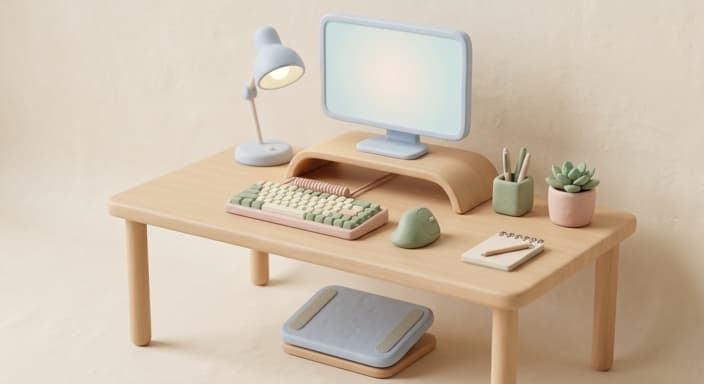
Variable height monitor risers
If the person you’re shopping for is still looking down at a laptop screen, their neck is bearing about 30 pounds of unnecessary strain. A sturdy monitor riser, preferably one made of wood or powder-coated steel, brings the screen to eye level and clears up desk space. I’m a fan of the Grovemade or similar walnut styles for their stability. These run between $80 and $150 depending on the materials and build quality. The catch is that they are fixed height; if you want to swap chairs or sit on a yoga ball, you’re stuck with whatever elevation you bought. Don't buy the cheap plastic ones with built-in drawers; the hinges fail within six months, and the plastic cracks under the weight of a heavy monitor.
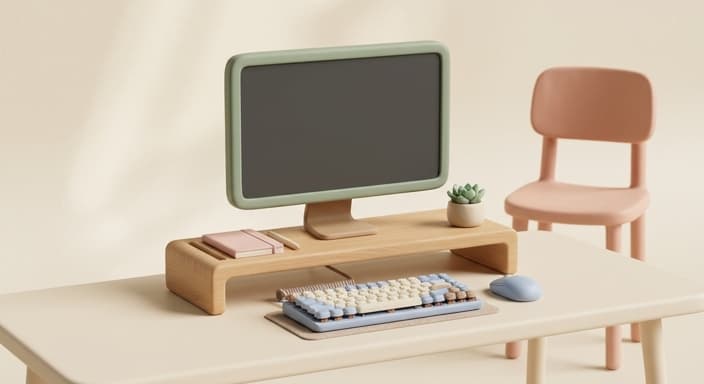
Mechanical keyboards for tactile fatigue
Most people work on flat, mushy laptop keyboards that offer zero feedback. This forces them to hammer their fingers down, leading to wrist inflammation over time. A compact mechanical keyboard with "Brown" switches offers a middle ground: tactile enough to know you pressed the key, but quiet enough to use in a shared space. Expect to pay $90 to $160 for a solid board from brands like Keychron or NuPhy. The limitation is the learning curve. If they aren't used to keys that travel more than a millimeter, the first week will be frustrating and full of typos. Avoid the ultra-thin, low-profile gaming boards with RGB lighting that you can’t turn off; they look like a toy and the stabilizers on the spacebar tend to rattle.
Vertical mice for wrist health
Carpal tunnel is the slow-moving enemy of every office worker. A vertical mouse forces the hand into a handshake position, which prevents the forearm bones from twisting. A decent one like the Logitech MX Vertical or a high-end Anker will run you $40 to $100. It is a total game-changer for someone who clicks for eight hours a day. The downside is that they are notoriously bad for gaming or precision work like photo editing; you will find yourself reaching for a standard mouse the moment you need to make a fine selection. Also, look for one that uses a USB-C rechargeable battery rather than AA batteries. If it takes AA batteries, the weight balance will be off, and you’ll be hunting for replacements at the worst possible time.
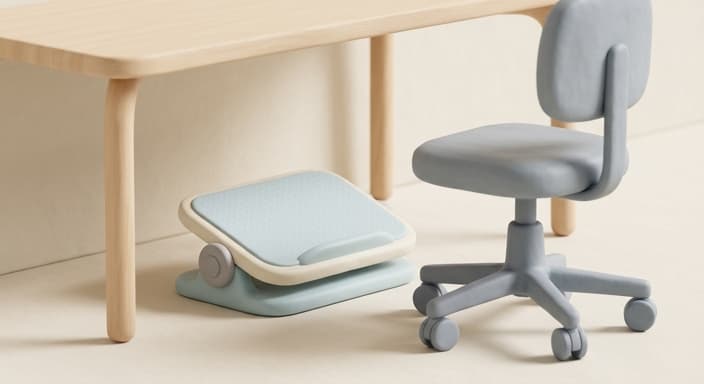
Under-desk footrests that tilt
When your feet dangle or rest flat on the floor, you end up shifting your weight and slouching. An adjustable, tilting footrest keeps your knees at the right angle and encourages active sitting. You want one that can rock back and forth, not a fixed piece of foam that just sits there. You can find excellent ones for $35 to $75. The trade-off is the footprint. These things take up a significant amount of floor space under your desk, and if you have a smaller setup or a chair with wheels that move around a lot, you will constantly kick it or get it stuck. I’d avoid the memory foam pads entirely; they compress flat within three months and just become a glorified piece of carpet.
Task lamps with high CRI ratings
Eye strain is often mistaken for fatigue. If your lighting is blue-tinted or flickering, your brain works twice as hard to focus. Look for an LED desk lamp with a high CRI (Color Rendering Index) rating of 95 or higher. It mimics natural daylight and makes reading documents much less strenuous. Good ones hover between $70 and $130. The friction here is the base. A lot of these lamps have heavy, round bases that take up prime desk real estate. I prefer the clamp-style mount, but that requires you to have a desk edge that actually allows for a clamp. Avoid anything that requires a proprietary app or "smart" features; those circuits die long before the LED panel does, and then you have a useless piece of aluminum.
Lumbar support pillows for existing chairs
Most office chairs, even expensive ones, have pathetic lumbar support. A high-density memory foam pillow that straps to the back of the chair can fix a chair that otherwise works fine. Look for brands that use high-resilience foam, not the cheap "egg crate" stuff. A quality one will cost $30 to $60. The reality is that these pillows are rarely a "set and forget" item. Because they are strapped on, they have a habit of sliding down or shifting every time you stand up, which means you’ll be re-adjusting it three or four times a day. If you don't mind the manual labor of nudging it back into place, it’s the most cost-effective way to save a back. I would skip any pillow that uses an elastic band that looks like it came off a pair of sweatpants; it will lose its stretch in about four weeks.
If I had to buy just one thing, I’d choose the mechanical keyboard. It changes the physical interaction with the computer more than any other peripheral. While the other items improve the environment, a good keyboard improves the actual act of working. It turns a boring, repetitive task into something that actually feels satisfying, and if you buy a solid aluminum-cased one, it’s the only gift on this list that will likely still be on the desk ten years from now.
Common Questions
🤔
Frequently Asked Questions
What should I prioritize when buying ergonomic gifts for a home office in 2026?▼
Prioritize items that address concrete problems (neck posture, wrist comfort, eye strain) rather than gimmicky gadgets; durability and material quality matter because long-lasting gifts save money and clutter; consider the recipient's space and seating setup, and anticipate learning curves with any new tool; expect to spend roughly $50-$160 on quality essentials.
Are fixed-height monitor risers a good choice?▼
They raise the screen to eye level, reducing neck strain, but fixed heights can limit flexibility when seating changes; look for sturdy options in wood or powder-coated metal and budget around $80-$150; avoid cheap plastic drawer-model risers whose hinges crack; they don’t adapt to dynamic setups like permanent changes in chair or posture.
What should I know about mechanical keyboards for office work?▼
Brown-switch keyboards offer tactile feedback without loud clacking, which helps fatigue and accuracy; they often cost $90-$160 and require a short learning curve if you're used to laptop keyboards; avoid ultra-thin gaming boards with RGB that you can't turn off, as they can be distracting and their stabilizers can rattle; a compact form can fit on most desks and reduce travel distance.
Are vertical mice the right choice for everyone?▼
Vertical mice can dramatically improve wrist posture for long sessions, but they may be awkward at first and not ideal for precision tasks; they are not a universal fix, as some users will default to a standard mouse for tasks such as photo editing; choose models with USB-C rechargeable batteries to avoid AA replacements; prices typically range from $40-$100.
Explore Related Topics
Browse more gift ideas in the categories this article belongs to.